Setting up working directory as following:
.
├── docker-compose.yaml
├── provider.tf
├── vars.tf
└── zabbix.tf
The docker-compose.yaml file will be used to set up Zabbix environment which contains the following components:
- A MySQL service used by both
zabbix-serverandzabbix-web - A backend service
zabbix-server - A frontend service
zabbix-web - An Zabbix agent
zabbix-agent - An internal
zbx_net_backendnetwork to connect all services
version: '3.1'

services:
  zabbix-web:
    image: zabbix/zabbix-web-apache-mysql:ubuntu-6.0.12
    container_name: zabbix-web
    restart: on-failure
    ports:
      - '8080:8080'
      - '8443:8443'
    environment:
      MYSQL_USER: root
      MYSQL_PASSWORD: root
      MYSQL_DATABASE: zabbix
      ZBX_SERVER_HOST: zabbix-server
      ZBX_SERVER_PORT: '10051'
      DB_SERVER_HOST: mysql-server
      DB_SERVER_PORT: '3306'
      PHP_TZ: America/Toronto
    networks:
      zbx_net_backend:
        aliases:
        - zabbix-web
    depends_on:
      - zabbix-server
      - mysql-server

  zabbix-server:
    image: zabbix/zabbix-server-mysql:ubuntu-6.0.12
    container_name: zabbix-server
    restart: on-failure
    ports:
      - '10051:10051'
    environment:
      MYSQL_USER: root
      MYSQL_PASSWORD: root
      MYSQL_DATABASE: zabbix
      DB_SERVER_HOST: mysql-server
      DB_SERVER_PORT: '3306'
    networks:
      zbx_net_backend:
        aliases:
          - zabbix-server
    depends_on:
      - mysql-server

  zabbix-agent:
    image: zabbix/zabbix-agent:ubuntu-6.0.12
    container_name: zabbix-agent
    restart: on-failure
    ports:
      - '10050:10050'
    networks:
      zbx_net_backend:
        aliases:
        - zabbix-agent
    depends_on:
      - zabbix-server

  mysql-server:
    image: mysql:8.0.25
    container_name: mysql-server
    command:
    - mysqld
    - --character-set-server=utf8mb4
    - --collation-server=utf8mb4_bin
    - --default-authentication-plugin=mysql_native_password
    restart: always
    ports:
      - '3306:3306'
    environment:
      MYSQL_ROOT_PASSWORD: root
    networks:
      zbx_net_backend:
        aliases:
        - mysql-server
    cap_add:
      - SYS_NICE  # Handle mbind: Operation not permitted silently

networks:
  zbx_net_backend:
    driver: bridge
    driver_opts:
      com.docker.network.enable_ipv6: 'false'
    ipam:
      driver: default
      config:
      - subnet: 172.16.239.0/24
Bring up Zabbix environment using docker compose
$ docker compose up
After all services are ready, login to Zabbix Web service at http://localhost:8080 with default user Admin and default password zabbix
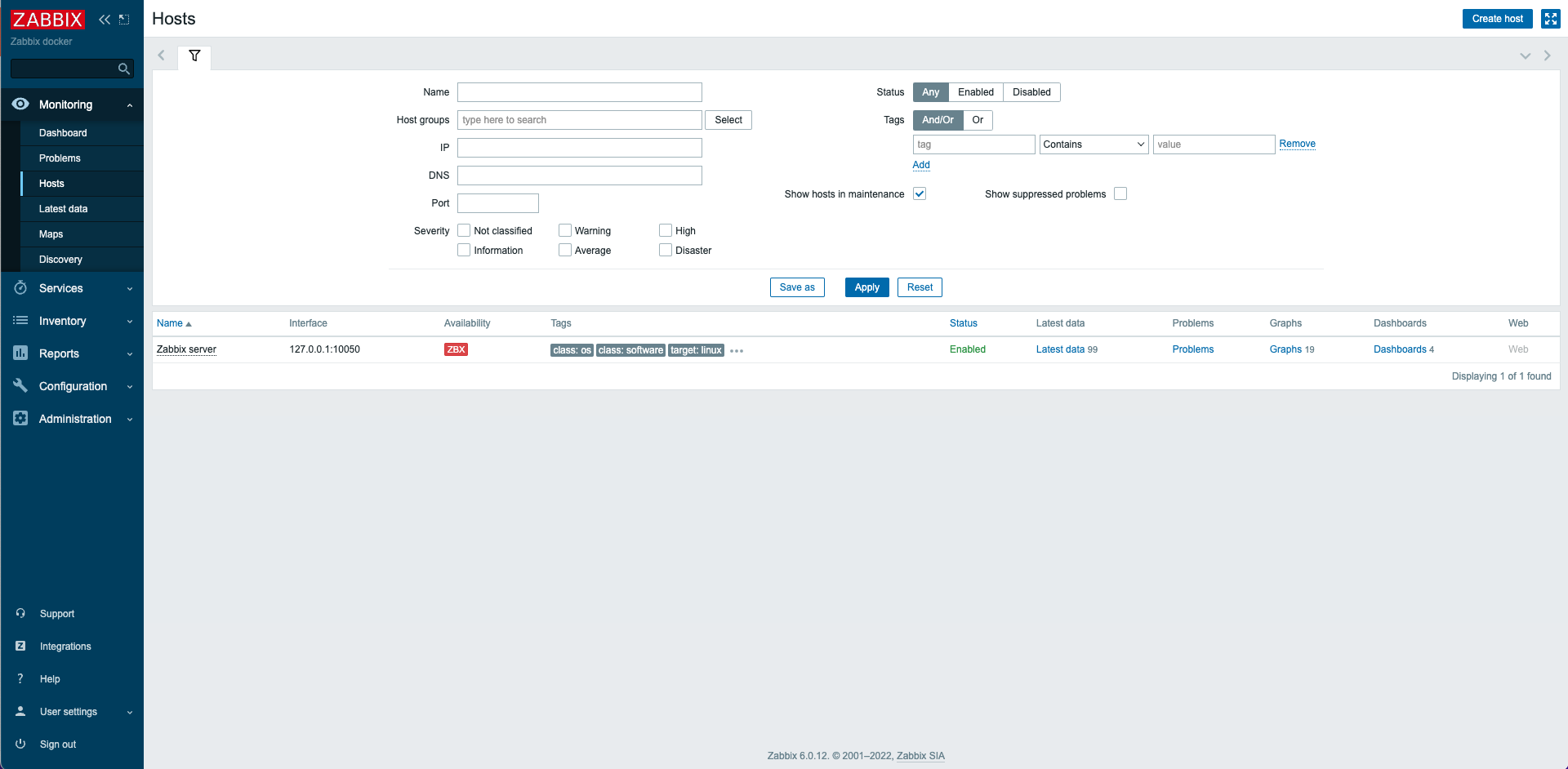
By default, Zabbix creates its own Zabbix server agent to monitor itself. However, we’re running Zabbix server in a Docker container and this container doesn’t have a Zabbix agent. Thus, it will show a connection issue error for this agent. Just ignore the error
We configure terraform to use Zabbix provider claranet/zabbix in provider.tf file. Learn more about the provider at here
terraform {
  required_providers {
    zabbix = {
      source  = "claranet/zabbix"
      version = "0.4.0"
    }
  }
}

provider "zabbix" {
  user       = var.user
  password   = var.password
  server_url = var.server_url
}
We provide Zabbix variables in vars.tf file with default values
variable "user" {
  description = "Zabbix login user"
  type        = string
  default     = "Admin"
}

variable "password" {
  description = "Zabbix login password"
  type        = string
  default     = "zabbix"
}

variable "server_url" {
  description = "Zabbix server URL in the format of <SERVER_URL>/api_jsonrpc.php"
  type        = string
  default     = "http://localhost:8080/api_jsonrpc.php"
}
Initialize terraform
$ terraform init
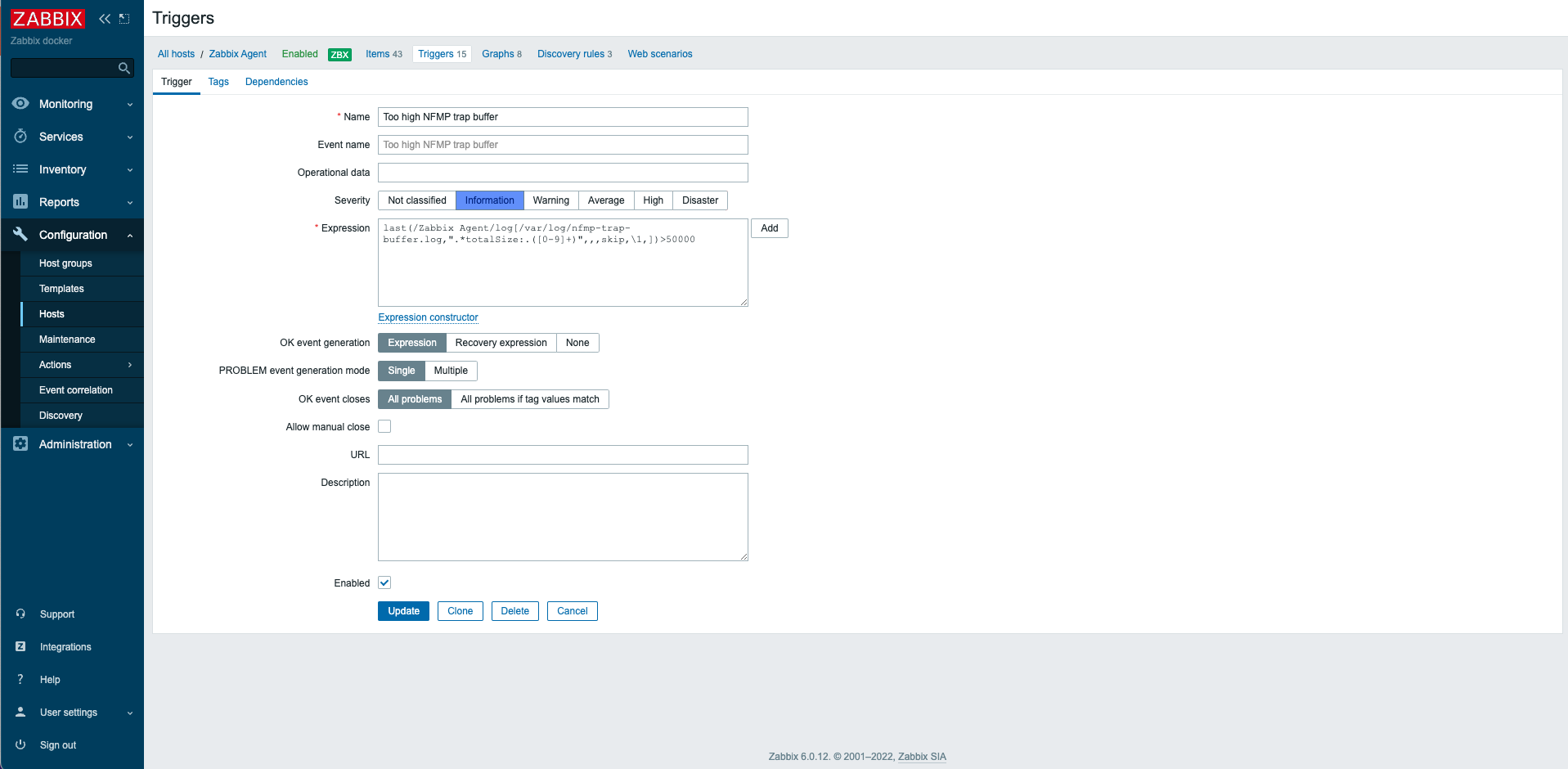
Create the Zabbix agent and its item and trigger in zabbix.tf file. We need to use DNS name to resolve the host
resource "zabbix_host" "zabbix_agent" {
  host = "Zabbix Agent"
  name = "Zabbix Agent"
  interfaces {
    dns  = "zabbix-agent"
    port = 10050
    main = true
  }
  groups    = ["Linux servers"]
  templates = ["Linux by Zabbix agent"]
}

resource "zabbix_item" "nfmp_trap_buffer" {
  name       = "NFMP Trap Buffer"
  key        = "log[/var/log/nfmp-trap-buffer.log,\".*totalSize:.([0-9]+)\",,,skip,\\1,]"
  type       = 7
  value_type = 3
  data_type  = 0
  delay      = "1m"
  history    = "90d"
  trends     = "365d"
  host_id    = zabbix_host.zabbix_agent.id
}

resource "zabbix_trigger" "nfmp_trap_buffer" {
  description = "Too high NFMP trap buffer"
  expression  = "last(/${zabbix_host.zabbix_agent.name}/${zabbix_item.nfmp_trap_buffer.key})>50000"
  priority    = 1
}
Apply terraform
$ terraform apply

zabbix_host.zabbix_agent: Creating...
zabbix_host.zabbix_agent: Creation complete after 0s [id=10534]
zabbix_item.nfmp_trap_buffer: Creating...
zabbix_item.nfmp_trap_buffer: Creation complete after 0s [id=44039]
zabbix_trigger.nfmp_trap_buffer: Creating...
zabbix_trigger.nfmp_trap_buffer: Creation complete after 0s [id=22996]

Apply complete! Resources: 3 added, 0 changed, 0 destroyed.